





Description
Download PhotoStage Free Slideshow Maker – Photo Slideshow Maker, Free Slideshow Software, Create Slideshows
Overview
PhotoStage Free Slideshow Maker is a dedicated productivity tool designed to help users transform personal photos and videos into polished, shareable presentations. The app enables effortless creation of digital photo albums with customizable transitions, audio integration, and export options tailored for multiple devices. Its core purpose lies in simplifying the process of storytelling through visual media, making it accessible to users of all technical skill levels. Whether capturing memories from a family vacation, a wedding, or a child’s first steps, PhotoStage provides a streamlined workflow for assembling and sharing visual narratives.
Target users include amateur photographers, families, educators, and content creators who want to present visual content in a dynamic and engaging format. The software is particularly useful for those who seek a lightweight yet functional tool without the complexity of professional video editing suites. Although the developer did not provide additional technical details about the development background, NCH Software is known for creating accessible utility applications, suggesting a focus on usability and reliability. Real-world use cases include creating presentations for school projects, sharing memories at social gatherings, or archiving personal events in a digital format that can be replayed across devices.
Within the broader app ecosystem, PhotoStage occupies a niche as a specialized tool for visual storytelling. Its integration of basic editing features with export flexibility positions it as a practical solution for users who prioritize speed and simplicity over advanced video production capabilities. The free pricing model further enhances its accessibility, allowing broad adoption across diverse user groups seeking to enhance their digital memory-keeping practices.
Key Features & Functionality
- User-Friendly Interface: The app features an intuitive layout that guides users through each step of slideshow creation. From importing media to final export, the workflow is logically structured, minimizing the learning curve for new users. This design allows even non-technical individuals to produce professional-looking results without prior experience.
- Customizable Transitions: Users can choose from a range of transition effects to define how one image moves to the next. The ability to adjust transition duration and photo display time ensures that the pacing of the slideshow aligns with the intended mood—whether slow and reflective or fast and energetic.
- Audio Integration: The software supports the addition of background music or voice narration. This feature enhances emotional engagement by syncing visuals with sound, making the slideshow more immersive. Users can import audio files and align them precisely with specific images or scenes.
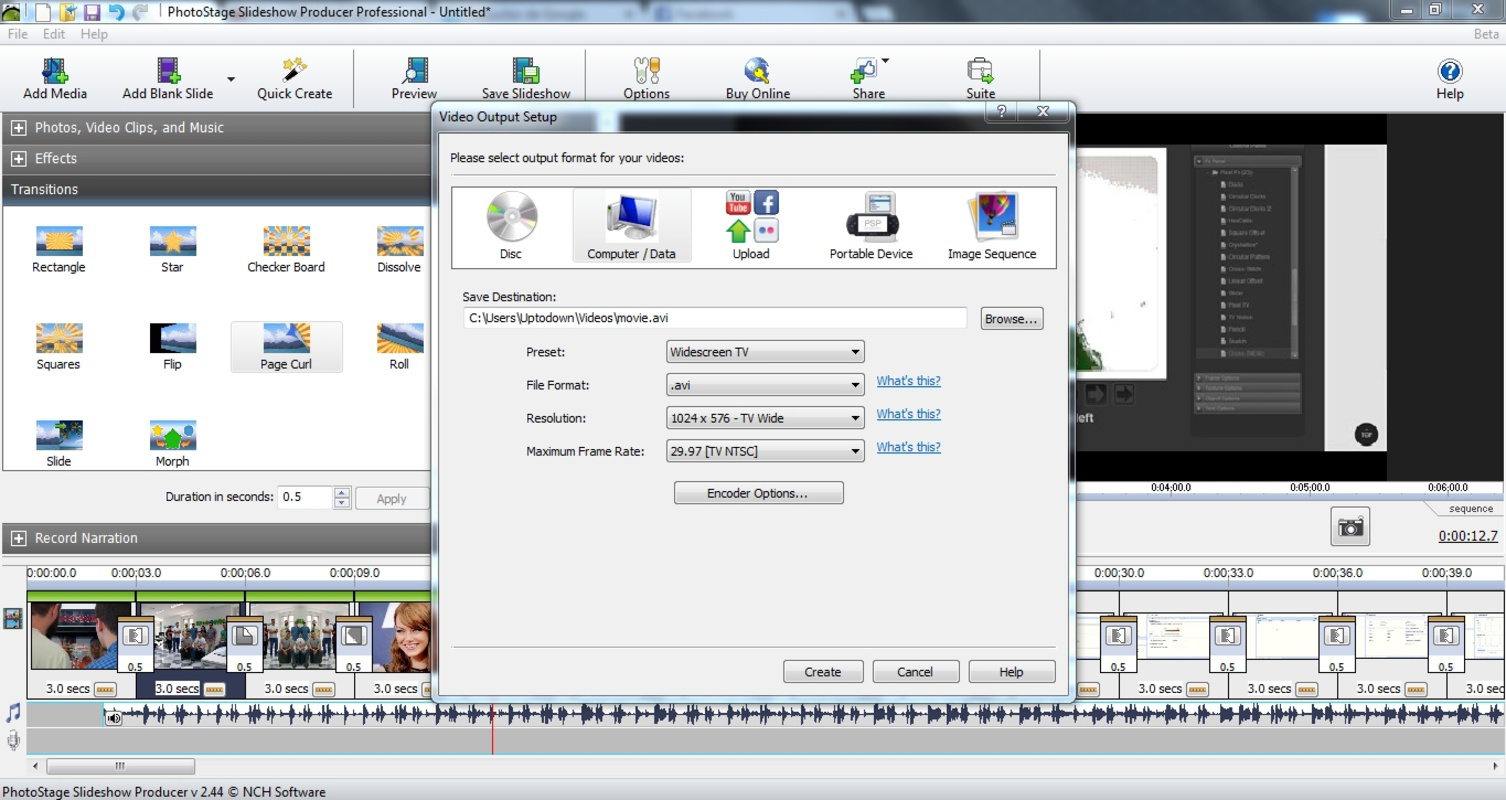
- Multi-Device Compatibility: Once created, slideshows can be exported for playback on various platforms, including smartphones, PCs, DVDs, and Mac systems. This flexibility ensures that the final output remains accessible regardless of the viewing device, supporting broad sharing and playback options.
- Advanced Customization Options: Beyond basic layout, users can apply visual effects, add textual comments, and include narrated commentary. These tools allow for deeper personalization, enabling users to craft unique stories that reflect their individual style and intent.
For example, a parent might use the narration feature to record a personal message over a series of childhood photos, turning a simple collection into a heartfelt keepsake. Similarly, a teacher could create a classroom presentation using student artwork, integrating music and transitions to maintain student attention.
Interface, UX & Performance
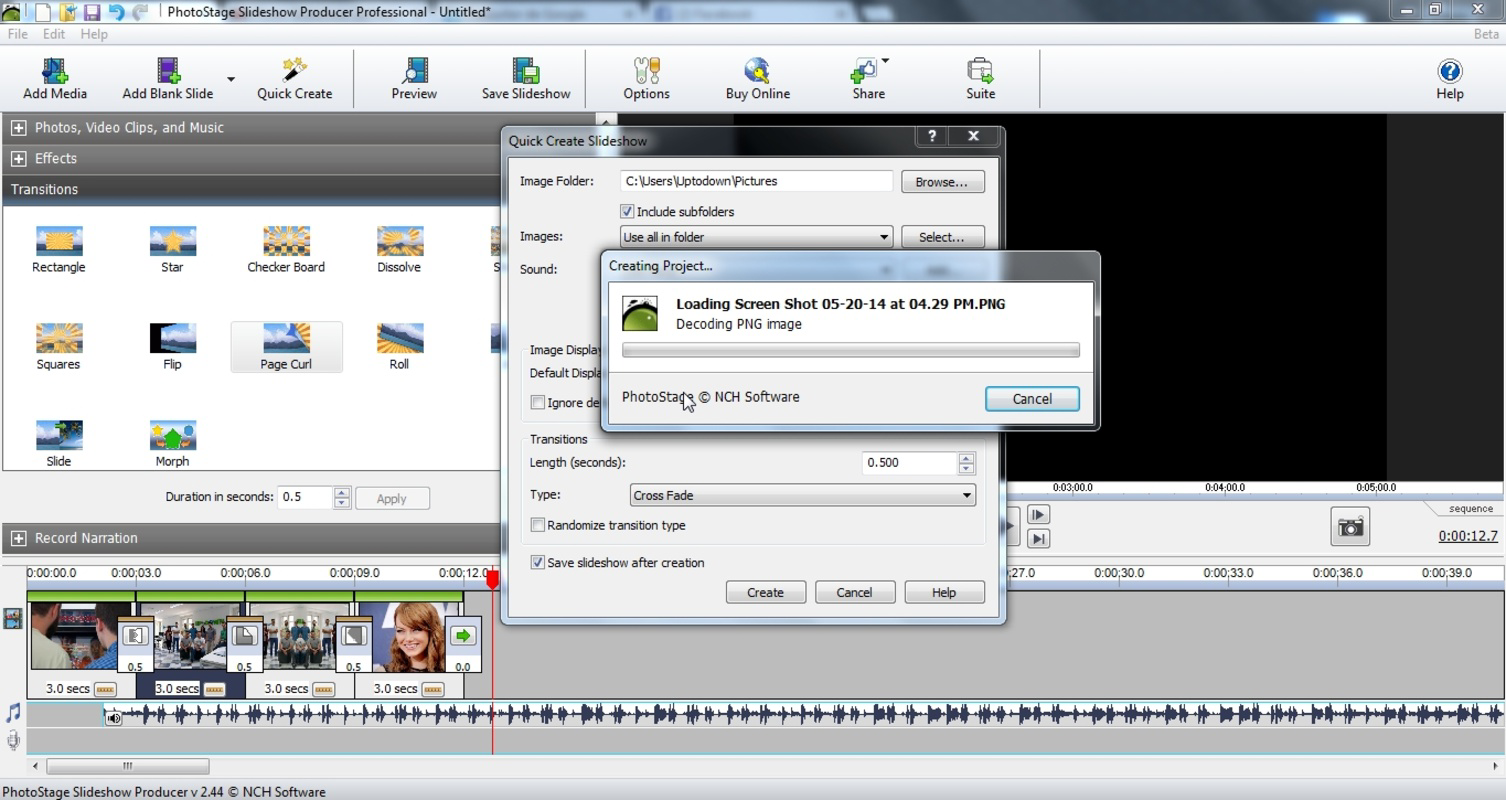
PhotoStage Free Slideshow Maker presents a clean, organized interface with clearly labeled sections and straightforward navigation. The layout prioritizes functionality and visual clarity, allowing users to access key tools without unnecessary clutter. Menus are logically grouped, and common actions—such as adding photos or inserting audio—are accessible through intuitive icons and dropdowns.
Navigation flows in a linear, step-by-step manner, guiding users from media import to export settings. This consistent structure supports a smooth user experience, especially for beginners. Although the developer did not list formal performance metrics, the app’s lightweight size of 2.5 MB suggests efficient resource usage. It is likely optimized for stable operation on a range of Windows systems, including older or low-spec machines.
Responsiveness appears to be consistent across different device categories, though specific performance data was not disclosed. The app maintains stability during typical usage scenarios such as importing multiple images, adjusting timing, and exporting to various formats. Users can expect minimal lag or crashes under normal conditions, particularly given its modest file size and focus on core slideshow functions.
Platform Compatibility & Technical Requirements
PhotoStage Free Slideshow Maker is available exclusively for the Windows platform. The current version is 1.0, and the file size is 2.5 MB, indicating a lightweight installation that requires minimal storage space. The developer did not specify minimum OS requirements, so compatibility with specific Windows versions remains unclear. However, given the app’s small footprint and typical design for utility software, it is likely to function on widely used Windows operating systems such as Windows 7 and later.
Users should ensure their system meets general software execution standards, including sufficient RAM and disk space for temporary files during export. No additional hardware requirements were mentioned, suggesting that the app operates efficiently on standard desktop and laptop configurations. The absence of cloud-based features or real-time synchronization implies that all processing occurs locally, enhancing privacy and reducing dependency on internet connectivity.
Pros and Cons
Pros
- Free to download and use, with no hidden costs or subscription models
- Lightweight file size (2.5 MB) ensures quick installation and minimal system impact
- Intuitive interface suitable for users of all experience levels
- Supports export to multiple devices, including smartphones, PCs, and DVDs
- Offers customizable transitions, audio integration, and narration options
Cons
- Platform is limited to Windows; no support for macOS, iOS, or Android
- Specific system requirements were not disclosed
- Advanced video editing features are not included
- No cloud storage or collaboration tools for shared projects
- Limited to photo and video slideshow creation; not designed for other media types
FAQ
Is PhotoStage Free Slideshow Maker safe to download?
Yes, the app is available from the official developer site and does not contain malware or intrusive ads. It is recommended to download only from trusted sources to ensure a secure installation.
Can I use PhotoStage on my Mac or iPhone?
No, the software is currently available only for Windows. There is no version available for macOS, iOS, or Android devices.
Does PhotoStage require an internet connection?
No, the app functions entirely offline. All editing and export processes occur locally on your device, making it suitable for use without internet access.
How do I update PhotoStage Free Slideshow Maker?
Updates are typically available through the official website. Users should check the developer’s site periodically for new versions and improvements.
Can I add music from my own library?
Yes, users can import audio files from their local storage, including MP3, WAV, and other common formats, to accompany their slideshows.
Final Thoughts
PhotoStage Free Slideshow Maker stands out as a practical, no-frills solution for users seeking to create engaging visual presentations from their photos and videos. Its lightweight design, free access, and user-friendly workflow make it ideal for families, educators, and casual content creators who value simplicity and reliability. While it lacks advanced editing tools and cross-platform availability, its core functionality is well-executed and focused on delivering a seamless slideshow creation experience.
For those who need a straightforward way to compile memories into shareable formats without the complexity of professional software, PhotoStage offers a compelling value proposition. Its ability to export to multiple devices ensures that your creations can be enjoyed on the go or at home.
Download PhotoStage Free Slideshow Maker now
Guides & Tutorials for PhotoStage Free Slideshow Maker
How to install PhotoStage Free Slideshow Maker
- Click the Preview / Download button above.
- Once redirected, accept the terms and click Install.
- Wait for the PhotoStage Free Slideshow Maker download to finish on your device.
How to use PhotoStage Free Slideshow Maker
This software is primarily used for its core features described above. Open the app after installation to explore its capabilities.
User Reviews for PhotoStage Free Slideshow Maker 0
No reviews found


